
BUILT FOR RAPID SURFING
DeepSurfCut
Your session.
Your best rides.
One recording. Every rider. Automatically.
AI video editing for rapid surfing and standing-wave sessions. Find each surfer's rides and export clips, reels, or 9:16 Portrait Follow videos, all on your device.
01 / FROM SESSION TO RIDES
One click.
A session, sorted.
Keep the camera rolling. DeepSurfCut finds the rides, groups them by surfer, and gives you an editable timeline.
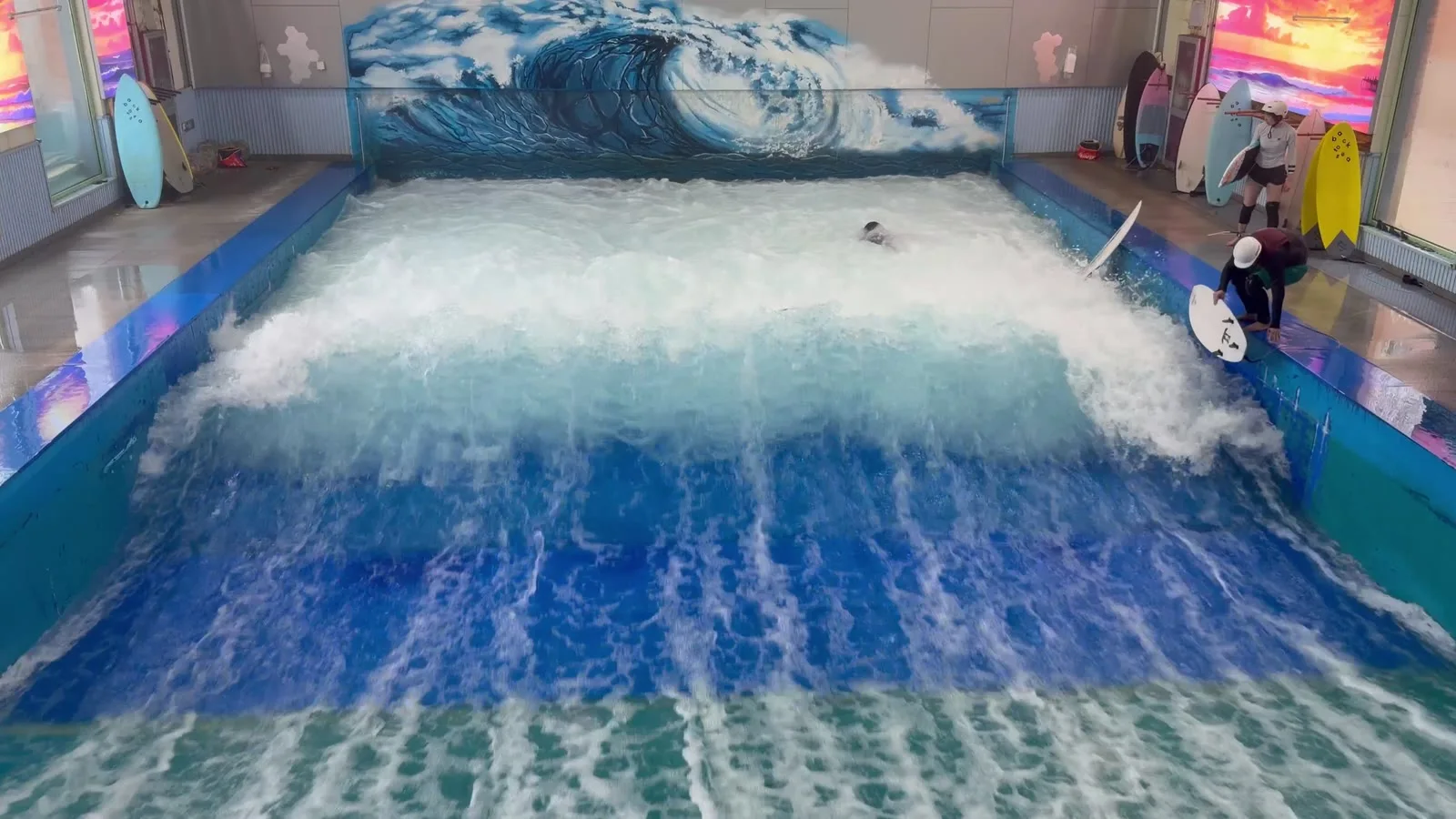
DEEPSURFCUT
Session ready
Workflow illustration. Processing time varies by recording and device.
- 01
Import
One steady recording of the whole wave.
- 02
Analyze
Riding time, separated from the waiting.
- 03
Make it yours
Review, refine, and share every rider’s session.
02 / YOUR FINAL CUT
Automatic first pass.
Full control after.
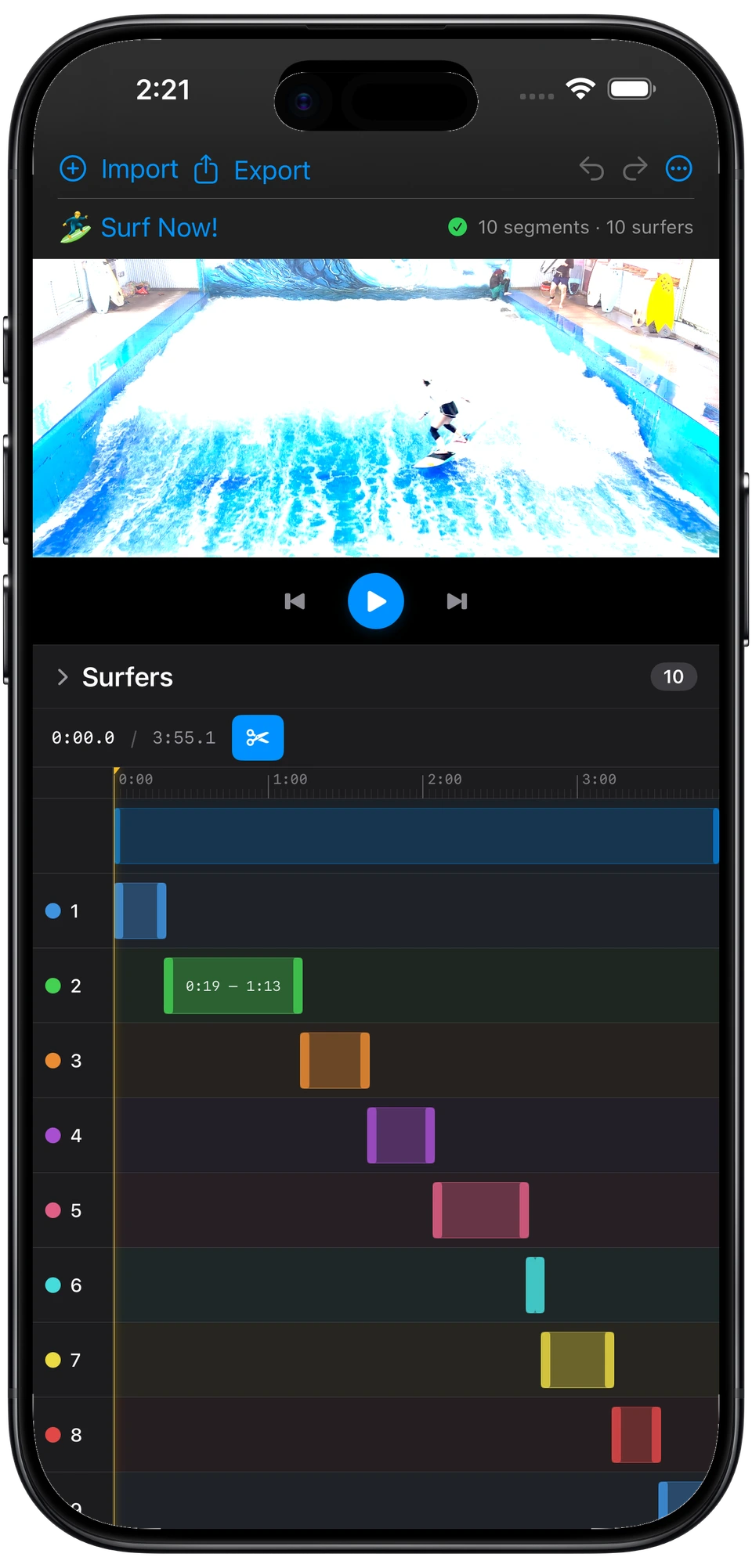
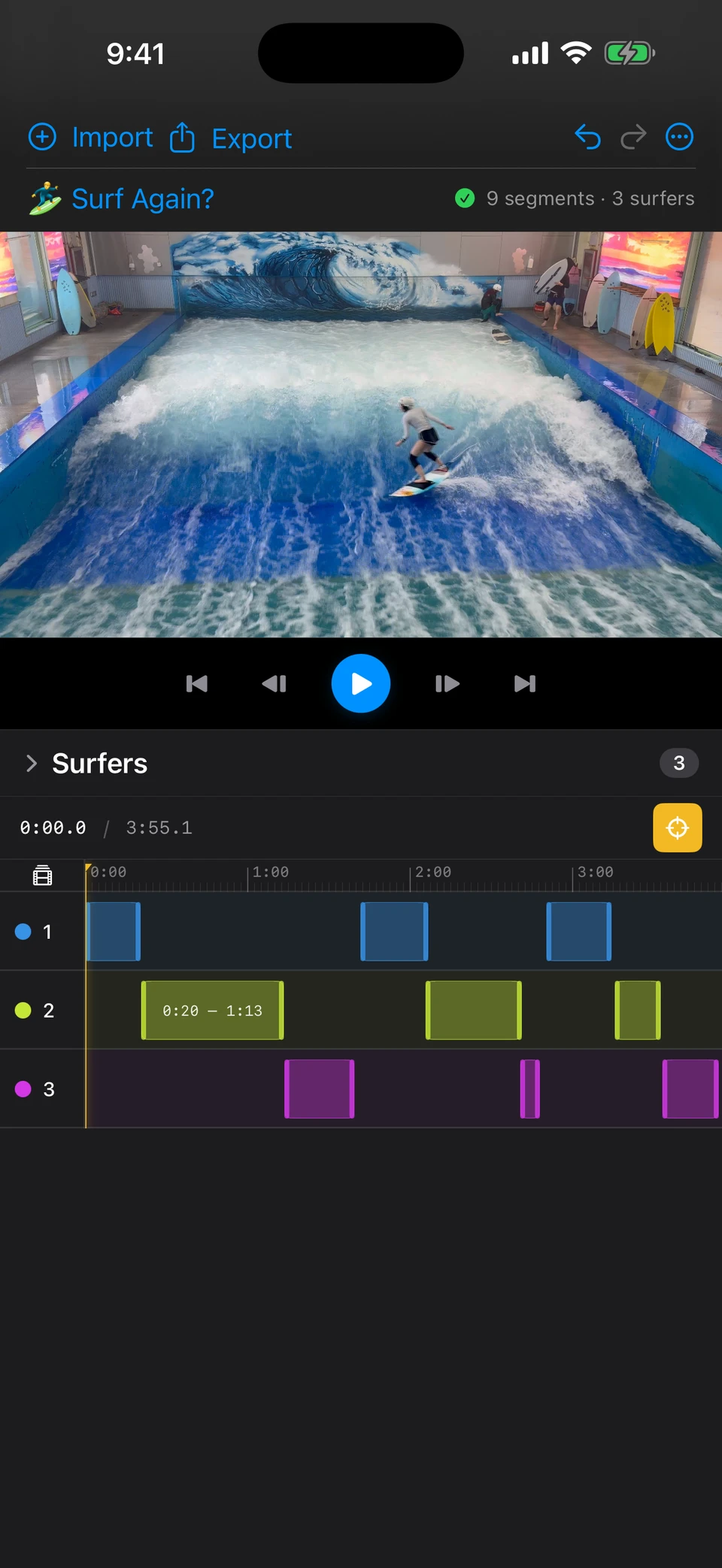
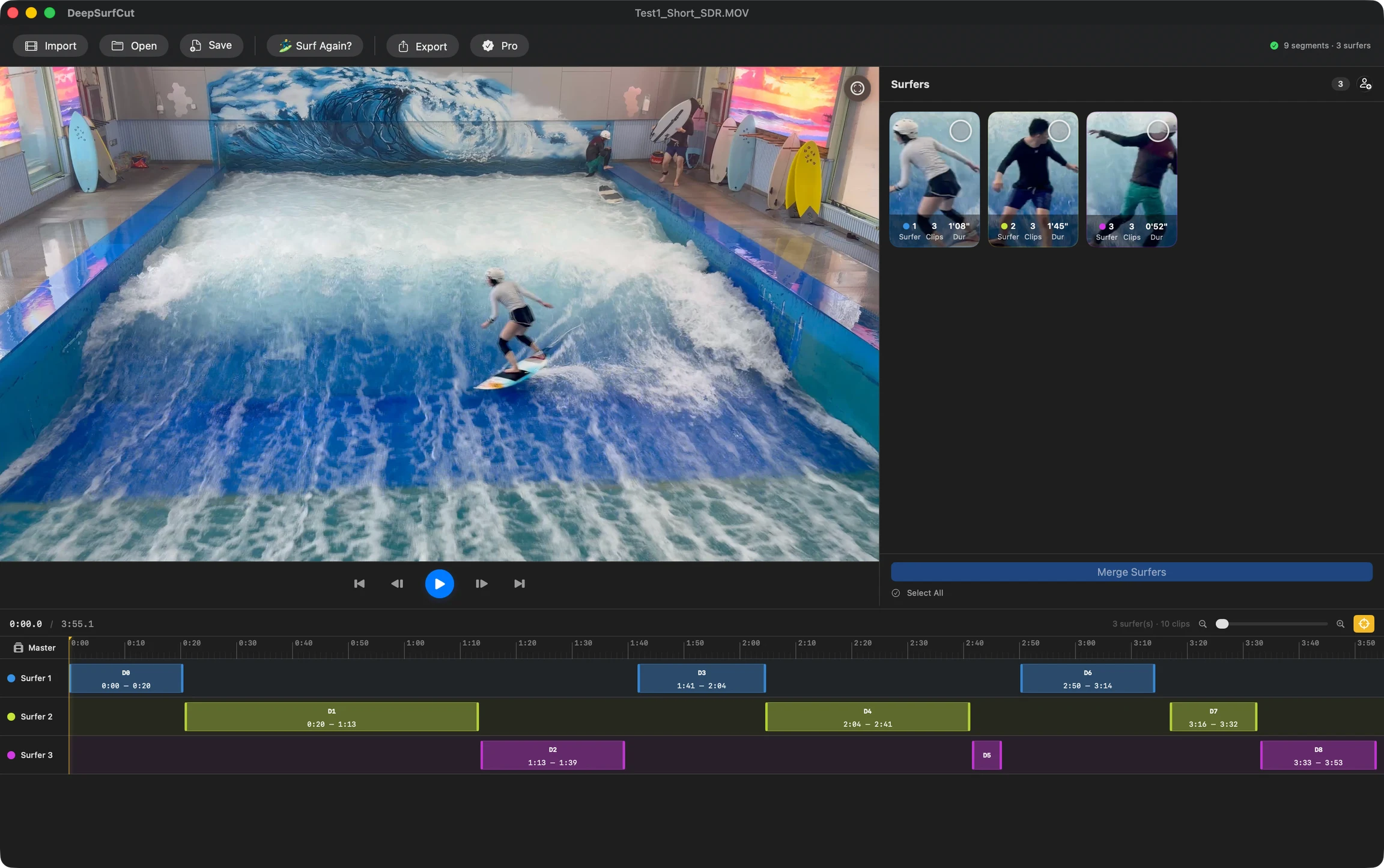
A real timeline for every rider. Go straight to the moments that matter and make the final cut yours.
Explore Portrait FollowEvery ride, within reach.
Review the same surfer’s rides back to back. Adjust a boundary, fix a group, or undo a change.
- Jump straight to each ride
- Trim, split, move, and merge
- Correct rider groups
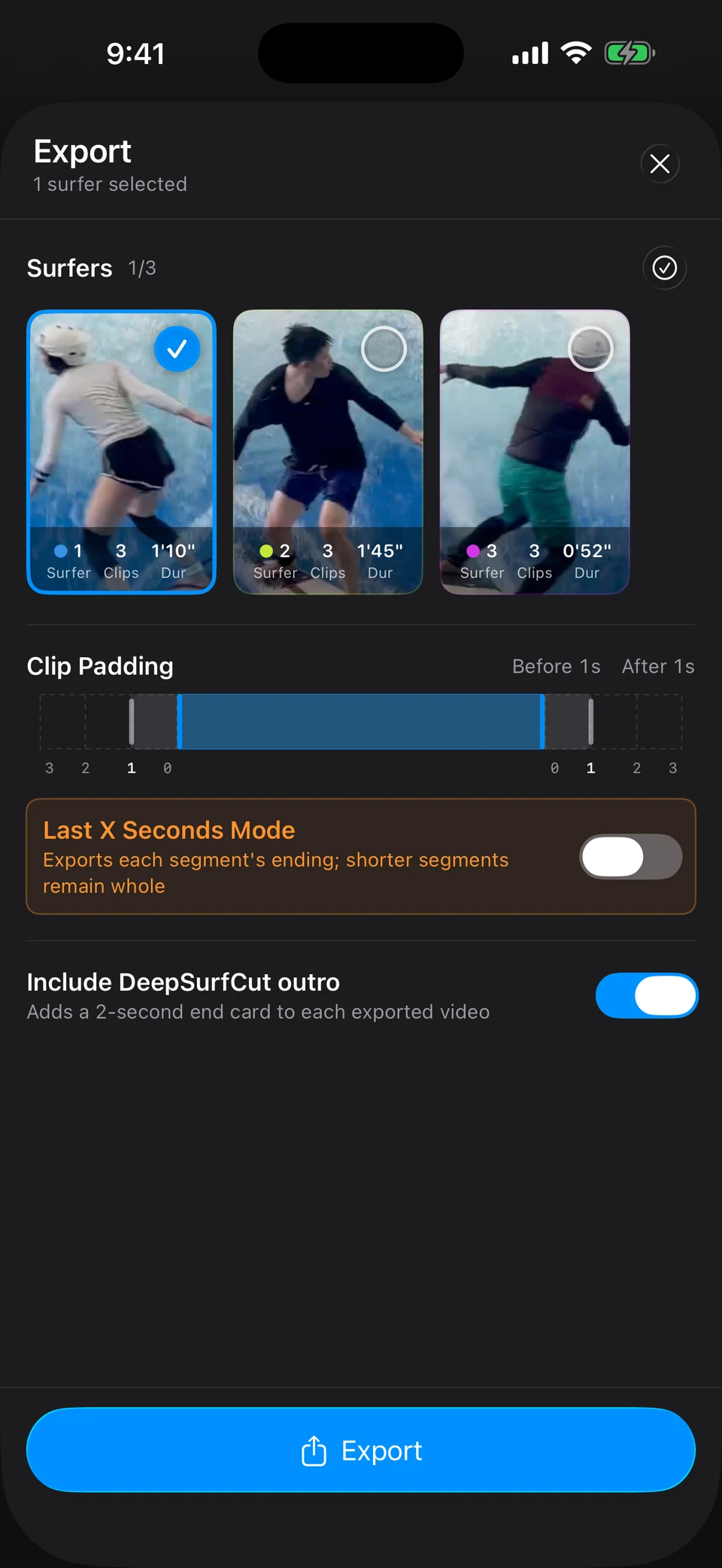
Their rides. Ready to go.
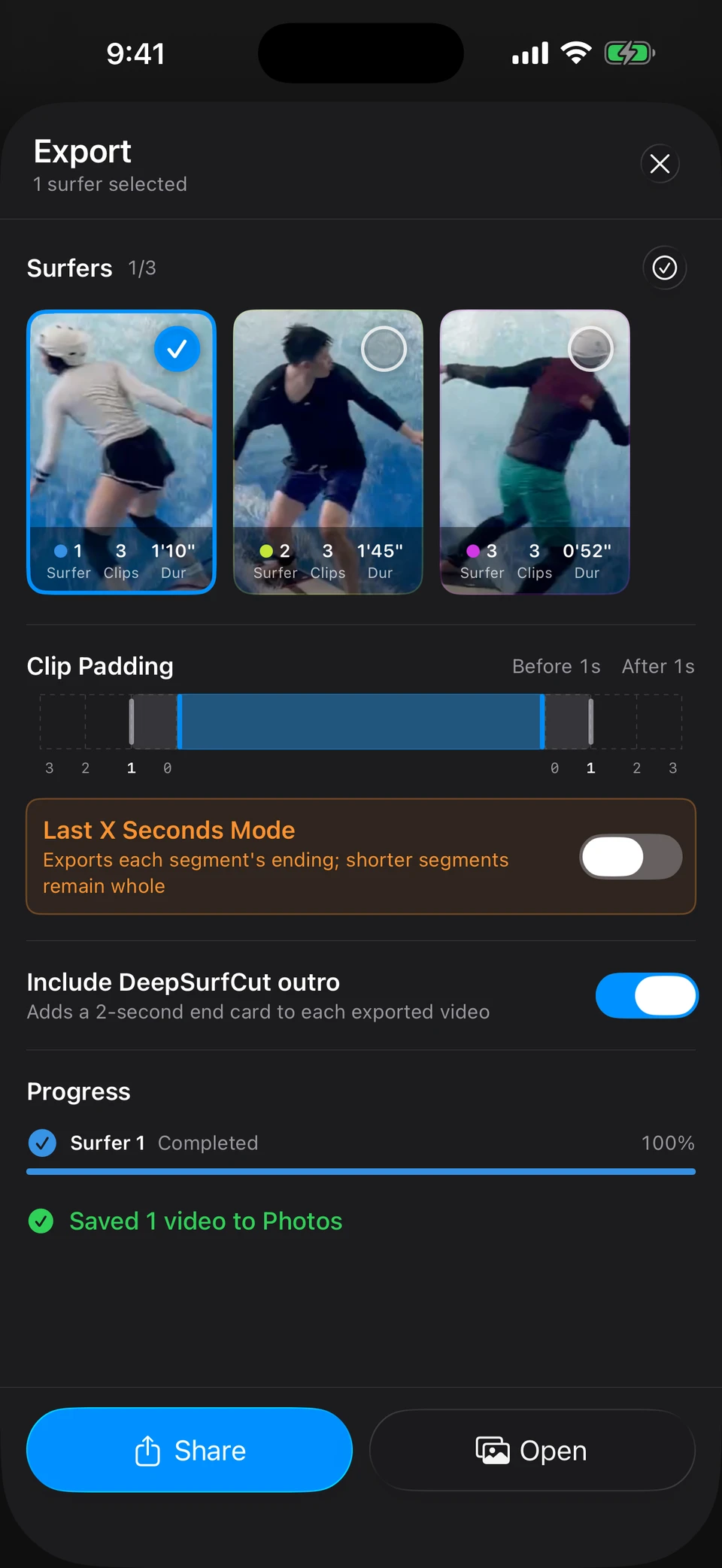
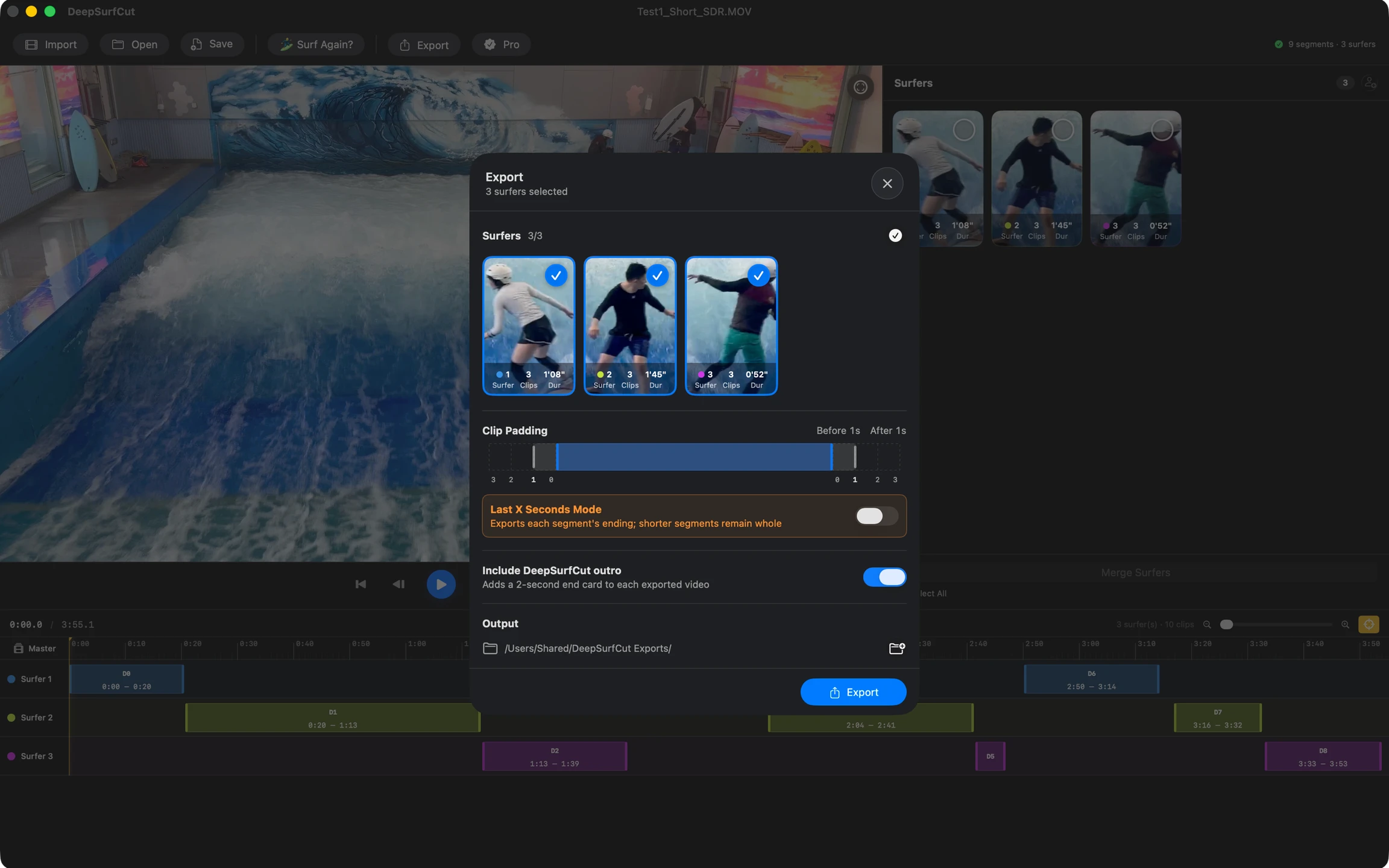
Choose your surfers and export individual rides or a complete reel. Keep the original framing or switch to 9:16 Portrait Follow.
- Choose one or more surfers
- Keep time before and after each ride
- Keep source audio and add an optional wave end card
Saved. Ready to share.
Save your finished videos to Photos and send them to the crew. If saving is interrupted, recover completed videos from Unsaved Exports.
- Save the finished video to Photos
- Open Photos straight from the app
- Recover completed, unsaved exports
03 / PORTRAIT FOLLOW
Portrait Follow.
Made for your ride.
Turn a wide session recording into a 9:16 video that follows your selected surfer. Export each ride on its own, or bring them together as a reel.
Follow your surfer
The vertical framing follows your selection, with smoother transitions through brief tracking gaps.
One ride or a whole reel
Export individual clips or combine your surfer's rides in a 9:16 video, ready to share.
Keep the sound of the session
Keep source audio and finish with an optional wave end card matched to portrait output.
Framing depends on the source footage and tracking results. Older projects without follow data need to be analyzed again.
04 / ROOM TO WORK
Beside the wave.
Across your Apple devices.
Choose the screen that fits the session. The same focus on your footage, from a quick review to a longer edit.
iPhone
Review and share right after a ride.
iPad
More room for video and hands-on editing.
Mac
A native workspace for longer sessions.
Your footage.
Stays yours.
Your session is analyzed on your device. You choose what to import and where to export.
- Local processing
- No video upload required
- You control the export
RAPID SURFING / STANDING WAVES / FLOWRIDER
Different waves. Your own rides.
Rapid Surfing covers surfing on natural and artificial standing waves. DeepSurfCut is built for fixed-camera sessions on deep-water standing waves; FlowRider and other surf footage can also be used, with results shaped by the recording. Review rider groups and clips before exporting.
Surf video editing guideFOR YOUR NEXT SESSION